Shops & local business
Saree shops, clinics, salons, kirana stores
They type“I have a saree shop. Make me a website where people can see my collection and order on WhatsApp.”
Catalogue site liveWhatsApp ordering onLink ready to share

Now AI’s brain combined with the FlexiFunnels operating system can automate and scale your business right from your phone. What used to take hours now takes minutes.
One MCP connection, 170+ business actions — it works everywhere you already work
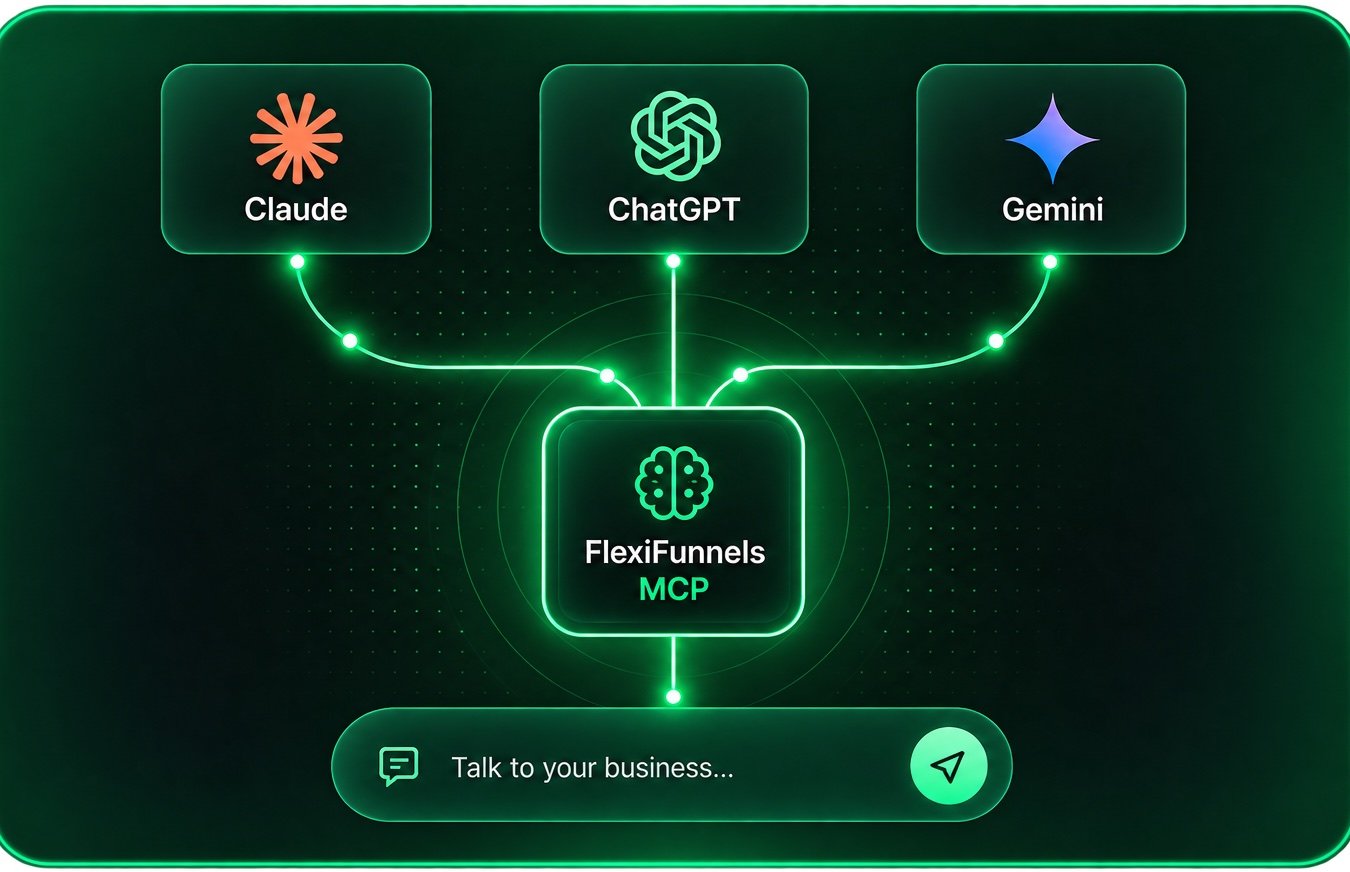
Claude, ChatGPT and Gemini. Add the connector in settings once, then just talk — the same 170+ actions in whichever app you already have open.
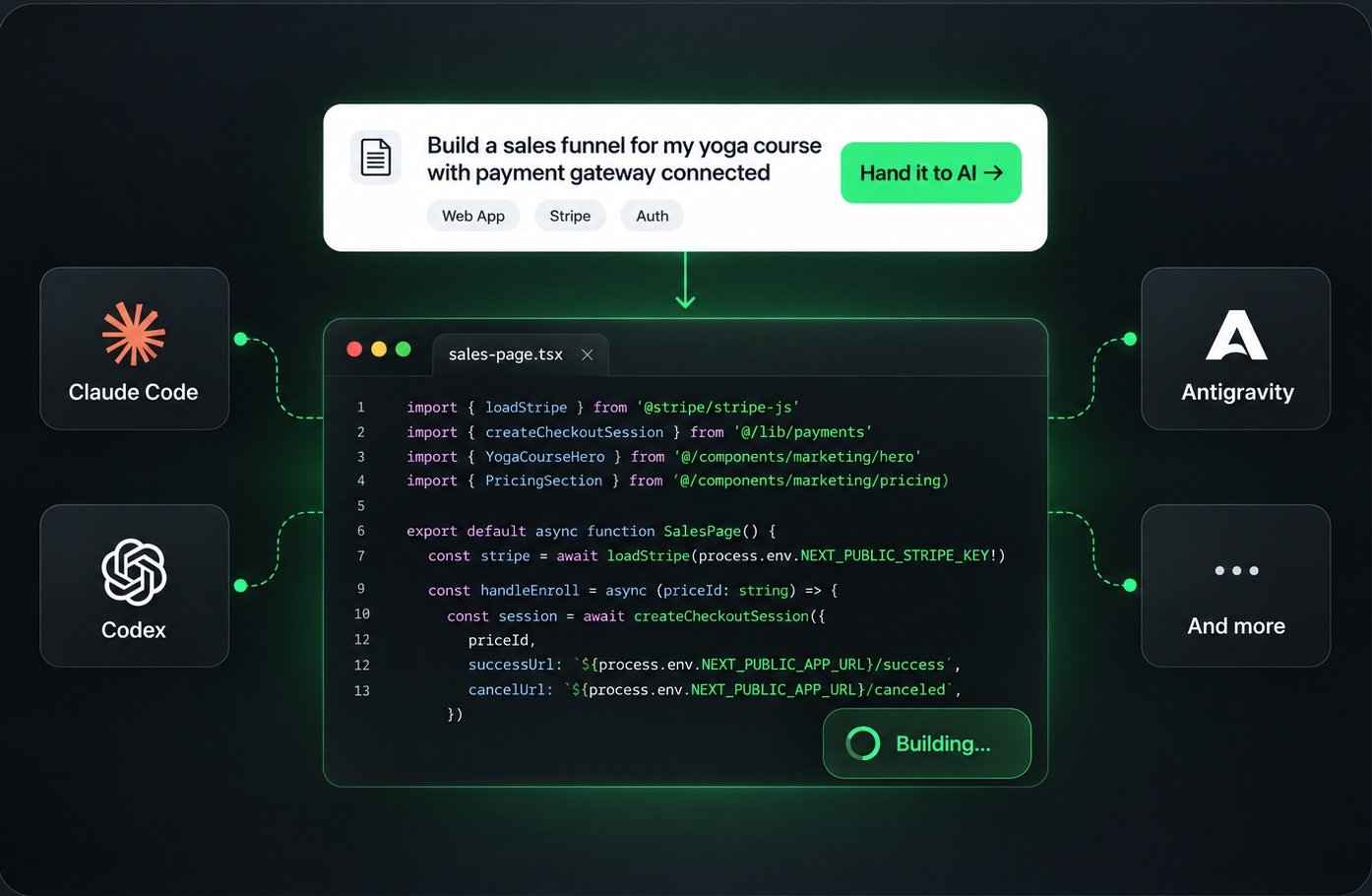
Claude Code, Codex and Antigravity. Hand over longer, multi-step builds and let the agent work through the whole chain without you steering every turn.
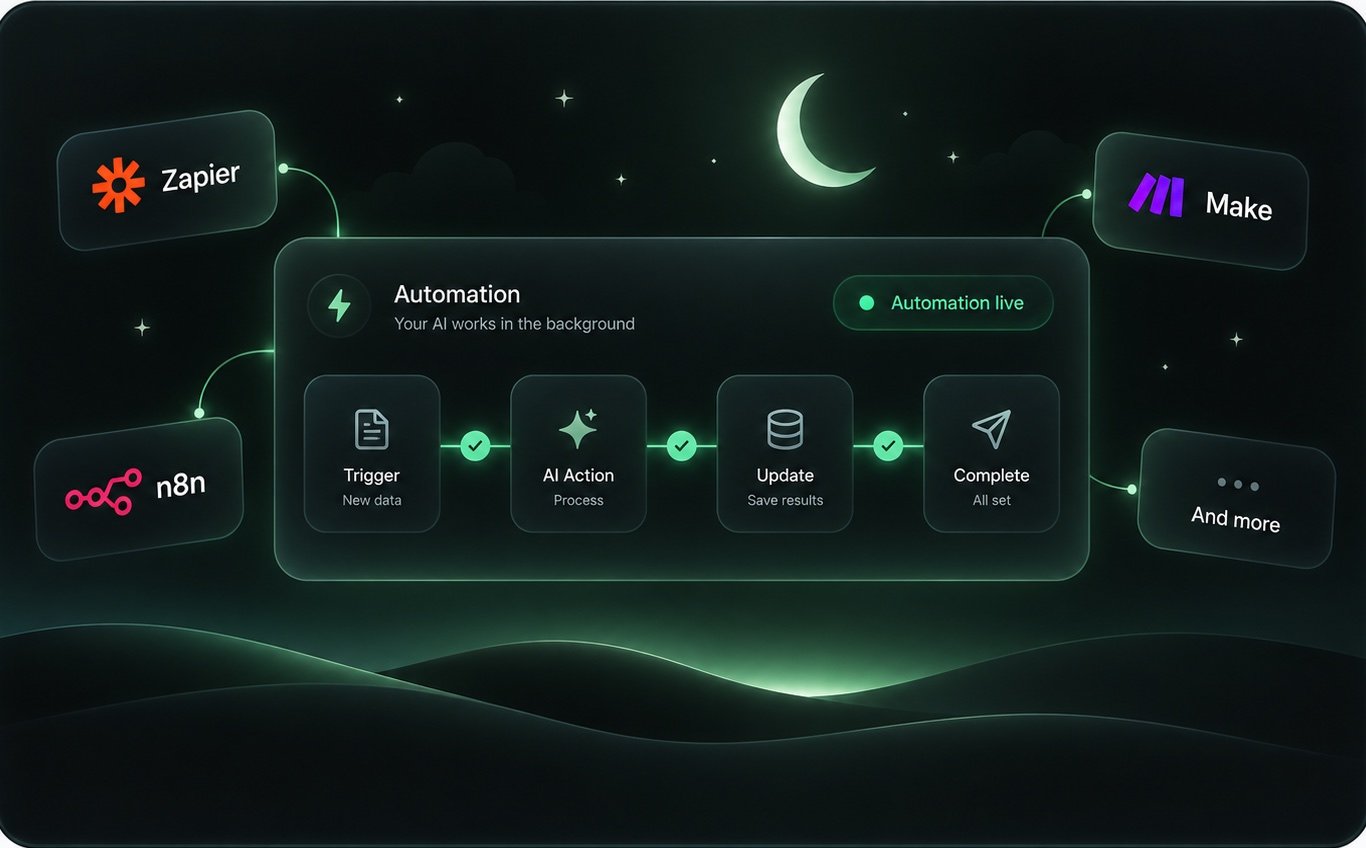
Zapier, n8n and Make. Put FlexiFunnels inside an automation and pages get built, leads get wired and campaigns get set up while you sleep.
Registration page, sales page, checkout, thank-you pages and the members area — all built from nothing by typing. Unedited screen recording, real time. Just under a minute of someone actually doing it.
Complete funnel, built from scratch — 59 seconds, start to finish.
If you can send a WhatsApp message, you can run your business this way. There is no terminal, no config file and nothing to install.
Open the connector settings in Claude, ChatGPT or Gemini, add FlexiFunnels MCP and sign in. That is the whole setup, and you never do it again.
About two minutes. Works on the phone too.In your own words, the way you’d brief a team member. You never type an action name and you never need to know one exists.
“Build me a webinar registration page for Thursday, collect name and email, and send them to a thank-you page.”It shows you exactly what it is about to change and waits. You say yes, and the work lands in your real account — live, published, connected.
Then keep going in the same chat: “Make the headline shorter.”Someone types what they sell. FlexiFunnels MCP builds and publishes everything a business needs to take money online — one message at a time. Watch the thread on the left; watch it go live on the right.
Every one of those six steps is a chain of FlexiFunnels MCP actions. You never listed the steps — you described the outcome once and approved as it went.
Not a course you have to finish. Not a tool you have to learn. Not a template you have to complete. You tell FlexiFunnels MCP what you want built and watch it appear — real pages on real URLs, taking real money, on the platform 20,500+ businesses already run on.
Homepage, about, contact — built and live.
Build me a website for my coaching business
Opt-in, sales page, checkout, thank-you — all chained correctly.
Build me a funnel for this offer
Opt-ins that actually store the lead and fire your follow-up.
Add an opt-in form to this page
The freebie hosted and delivered the second they opt in.
Send my PDF when someone signs up
Modules and lessons, published behind a real members area.
Turn this into a 6-module course
Uploaded, streamed and attached to the right lesson.
Add these videos to module 2
Content unlocks on your schedule, not all at once.
Release one module a week
Several courses packaged up as one offer.
Bundle these three courses together
Priced, order bumps, upsells — configured and live.
Add a ₹499 order bump at checkout
Order form, bumps and all — one page built to convert.
Build me a checkout page for this
Gateway linked, verified, test order passed.
Connect my payment gateway
Every way your buyers actually want to pay.
Turn on UPI, cards and netbanking
Monthly or yearly billing, charged automatically.
Charge ₹999 a month for this
Codes created, limited, live at checkout.
Create a 20% off coupon for this
Autoresponder wired, nurture flow written.
Write a 5-day welcome sequence
Chained in the right order, automatically.
Add an upsell after checkout
Connected to your brand in two clicks.
Connect my domain to this page
Set up and running — no manual setup.
Split test these two headlines
CAPI and pixels, installed and firing correctly.
Install my Meta pixel here
Automated — buyers get instant access.
Deliver this course after payment
Your CRM and your tools, wired to every form and order.
Send new leads to my CRM
Hosted, placed on the page, sized for every screen.
Put a hero image on this page
A page, a funnel, a whole project — copied and rewritten.
Clone this funnel for a new client
Bring in a VA or a client, with the access you choose.
Give my designer access to this project
Orders, customers and revenue, asked for in plain English.
How much did I make last month?
Reminders, follow-ups and webhooks, wired end to end.
Remind buyers 3 times before the call
A designer, a copywriter, a developer and weeks of back-and-forth One chat window. 10 minutes. Done.
Most people never launch. Not because the idea is bad, but because of everything standing between the idea and a working link.
3 months, 3 people, a five-figure bill → 10 minutes, one person, one phone
FlexiFunnels MCP doesn’t care about your industry, your degree, your age or your English. It cares about what you want built. Here is the same ten minutes for twelve very different businesses.
Saree shops, clinics, salons, kirana stores
They type“I have a saree shop. Make me a website where people can see my collection and order on WhatsApp.”
Pickles, papad, tiffins, crafts, baking
They type“I make pickles and papad at home. Build me a store with a ₹499 combo and online payment.”
Two hours in the evening, nothing more
They type“I have two hours in the evening. Set up my Excel course and let people buy it while I’m at work.”
Followers, but no email list
They type“40k followers and zero emails. Make me a page for my free guide and collect their contacts.”
Programs, cohorts, one-to-one
They type“Build my 8-week program as a course, put a ₹24,999 checkout on it, and drip one module a week.”
The same build, over and over, for clients
They type“Clone my proven funnel for this new client, swap the branding and rewire the forms to their list.”
Coaching classes, test prep, skill courses
They type“Put my JEE crash course online with weekly batches and let parents pay in two instalments.”
Skincare, apparel, supplements, gifting
They type“Build a product page for my new serum with an order bump and a 15% launch coupon.”
Trainers, studios, yoga, nutritionists
They type“Sell my 12-week transformation plan, drip it weekly, and WhatsApp everyone who joins.”
Doctors, dentists, therapists, counsellors
They type“Make me an appointment enquiry page and send every lead straight into my CRM.”
Brokers, advisors, insurance, lending
They type“Build a landing page for this project, gate the brochure behind a form and alert me on every lead.”
Webinars, retreats, bootcamps, meetups
They type“Set up registration for my Saturday workshop, take ₹499, and send the joining link automatically.”
If your business takes money from people online, it fits. The only thing that changes is the sentence you type.
You never need to memorise any of this — you talk normally and MCP picks the right action. This list is here so you can see what’s possible, and check its work afterwards. Open any area.
A project is the container. A page lives inside it. Almost everything starts here.
| Say something like this | It runs |
|---|---|
| “Show me all my projects.” | get_funnels |
| “What pages are inside my Diwali Sale project?” | get_funnel_pages |
| “What order are the pages in?” | get_funnel_sequence |
| “Give me the full picture of this project — pages, products, the lot.” | get_funnel_structure |
| “Which project does this URL belong to?” | search_project_by_url |
| “What ready-made templates can I start from?” | list_project_templates |
| “Which of my projects are membership sites?” | list_membership_projects |
| “Create a new project called Diwali Sale.” | create_project |
| “Make me a copy of the Diwali Sale project.” | clone_project |
| “Take the whole project live.” | publish_project |
| “Move the thank-you page to the end.” | reorder_funnel_pages |
| “Build me a sales page for my yoga course.” | create_agentic_page |
| “Change the headline to ‘Join 4,000 students’.” | update_agentic_page |
| “Undo that. Put the previous version back.” | rollback_agentic_page |
| “Show me what’s on that page right now.” | get_page_html |
| “What earlier versions of this page do I have?” | get_page_versions |
| “Change the page title and SEO description.” | update_page_settings |
| “Duplicate my sales page.” | duplicate_page |
| “Publish the sales page.” | publish_funnel_page |
| “Publish the page at this URL.” | publish_page_by_url |
| “Add this chat widget script to the page.” | set_page_embed_code |
| “Show me the standard testimonial block.” | get_component_template |
| “Put a Buy Now button on the page.” | add_buy_button_to_page |
| “Add the checkout form to this page.” | add_order_form_to_page |
| “Add an email opt-in form.” | add_lead_form_to_page |
| “After someone fills the form, send them to the thank-you page.” | set_form_redirect |
| “Who has opted in on this page?” | get_page_subscribers |
| “Runs on its own when a page is too big to send in one go.” | request_page_upload_url |
This is the AI builder inside your dashboard, and it is separate from the page building above. It uses your AI credits, so the assistant only touches it if you name it.
| Say something like this | It runs |
|---|---|
| “Use the FlexiFunnels AI builder to make me a webinar page.” | create_ai_page |
| “Ask the AI builder to change the colours to green.” | customize_ai_page |
| “Is the AI page finished yet?” | get_ai_page_status |
| “Show me what the AI builder produced.” | get_ai_page_html |
| “What versions has the AI builder made?” | get_ai_page_versions |
| “List all my AI-built pages.” | list_ai_pages |
| “Publish the AI page.” | publish_ai_page |
A funnel here means the money path: what you offer after the first sale.
| Say something like this | It runs |
|---|---|
| “Set up an upsell chain for my course.” | create_funnel |
| “Add a ₹499 order bump as step two.” | add_funnel_step |
A product is the thing being bought. Pricing sits on top of it. Payment gateways sit underneath it.
| Say something like this | It runs |
|---|---|
| “List all my products.” | get_products |
| “Show me the Yoga Masterclass product.” | get_product |
| “How is that product selling?” | get_product_statistics |
| “What automation rules are on this product?” | get_product_rules |
| “Which pages can I attach to this product?” | list_pages_for_product_picker |
| “Which payment gateways does FlexiFunnels support?” | get_payment_gateways |
| “Which gateways do I actually have connected?” | get_payment_integrations |
| “Create a product called Yoga Masterclass at ₹2,999.” | create_product |
| “Change the product description.” | update_product |
| “Copy this product so I can make a discounted version.” | clone_product |
| “Put this product live.” | publish_product |
| “Take this product off sale.” | unpublish_product |
| “Archive the old 2024 product.” | archive_product |
| “Attach the checkout page and thank-you page to this product.” | set_product_pages |
| “Set the price to ₹2,999 one-time.” | set_product_pricing |
| “Change the price to ₹3,499.” | edit_product_pricing |
| “Remove the second pricing option.” | remove_product_pricing |
| “Make it ₹999 a month, recurring.” | set_product_subscription_pricing |
| “Change the monthly plan to ₹1,199.” | edit_product_subscription_pricing |
| “Add a ₹499 order bump at checkout.” | add_product_bump |
| “When someone buys this, give them access to the bonus course.” | add_product_rule |
| “Connect my Razorpay account.” | add_payment_integration |
| “Turn Razorpay on.” | enable_payment_integration |
| “Turn Stripe off for now.” | disable_payment_integration |
| “Use Razorpay for this particular product.” | set_product_payment_integration |
The hierarchy is Course → Module → Lesson, and a bundle is what people actually buy.
| Say something like this | It runs |
|---|---|
| “Build me a sellable course from scratch.” | create_course_funnel |
| “Create a course called Yoga for Beginners.” | create_course |
| “Rename the course.” | update_course |
| “List my courses.” | list_courses |
| “Move Yoga for Beginners to the top.” | reorder_courses |
| “Give me the instructor login link.” | get_instructor_login |
| “An older name for creating a course, kept working so nothing breaks.” | add_course |
| “Add a module called Week One.” | add_module |
| “Rename that module.” | update_module |
| “What modules are in this course?” | list_course_modules |
| “Release Week Two seven days after purchase.” | set_module_drip |
| “Put this video at the top of the module as an intro.” | set_module_introduction_video |
| “Add a lesson called Breathing Basics.” | add_lesson |
| “Copy this lesson into the next module.” | clone_lesson |
| “Rename the lesson.” | update_lesson_title |
| “Rewrite the lesson description.” | update_lesson_description |
| “What does the lesson description say?” | get_lesson_description |
| “Unlock this lesson on day 14.” | set_lesson_drip |
| “When does this lesson unlock?” | get_lesson_drip |
| “Reorder the lessons in this module.” | reorder_course_content |
| “Import this whole YouTube playlist as lessons.” | import_playlist_to_module |
| “Attach the workbook PDF to this lesson.” | add_lesson_resource |
| “What files are attached to this lesson?” | get_lesson_resources |
| “Make the PDF the main download.” | mark_preferred_resource |
| “Create a bundle called Full Access.” | create_bundle |
| “What bundles do I have?” | list_bundles |
| “What bundles are in this project?” | list_project_bundles |
| “Put the Yoga course into the Full Access bundle.” | assign_course_to_bundle |
| “Add just Week One to the free bundle.” | assign_module_to_bundle |
| “Make this product unlock the Full Access bundle.” | assign_product_to_bundles |
| “Show an ‘Upgrade to unlock’ message on locked lessons.” | set_upgrade_gate |
Four ways in. The assistant picks the right one based on where your video already lives.
| Say something like this | It runs |
|---|---|
| “Use this YouTube or Vimeo link for the lesson.” | attach_video_url_to_lesson |
| “Use this video from another host.” | attach_generic_video_to_lesson |
| “Use the video already in my FlexiFunnels library.” | assign_video_to_lesson |
| “What videos are in my library?” | list_video_gallery |
| “I want to upload a video file.” | request_video_upload |
| “Finishes that upload off.” | register_uploaded_video |
| “The larger-file version of the same step.” | request_video_upload_url |
| “Finishes the large upload off.” | confirm_video_upload |
Everything a lead magnet needs: host it, put it on the page, and hand it over on opt-in.
| Say something like this | It runs |
|---|---|
| “Host this image for me.” | host_image |
| “I want to upload an image file.” | request_image_upload_url |
| “What images do I have?” | list_image_gallery |
| “Put that image in the hero section of my page.” | place_image_on_page |
| “I want to upload a PDF to give away.” | request_asset_upload_url |
| “Set this PDF up as a downloadable freebie.” | create_digital_asset |
| “Show me that digital asset.” | get_digital_asset |
| “List all my downloadable files.” | get_digital_assets |
| “Deliver this PDF when someone fills the opt-in form.” | link_asset_to_page_or_form |
Two wirings live here. An autoresponder connection links your account to a mailing tool. A form connection links one form to one list inside it. You need both, and mixing them up is the most common mistake.
| Say something like this | It runs |
|---|---|
| “Which mailing tools can I connect?” | get_autoresponder_services |
| “What mailing tools have I connected?” | get_autoresponders |
| “What lists are in my Mailchimp account?” | get_autoresponder_lists |
| “Connect my Mailchimp account.” | add_autoresponder |
| “Rename that connection to ‘Main Mailchimp’.” | rename_autoresponder |
| “Is this form wired to a list?” | get_form_autoresponders |
| “Send everyone from this form into my Leads list.” | connect_form_to_autoresponder |
| “Also POST the form data to my own server.” | connect_form_to_webhook |
| “What webhooks are set up?” | get_webhooks |
| “What are my email settings?” | get_email_settings |
| “Create an email template for the welcome mail.” | create_email_template |
| “Edit that template.” | update_email_template |
| “Copy the welcome template so I can make a variant.” | clone_email_template |
| “What sending domains do I have?” | get_email_domains |
| “Add mail.mybrand.com as a sending domain.” | add_email_domain |
| “Verify the sending domain.” | verify_email_domain |
| “What else is connected to my account?” | get_other_integrations |
Reading your numbers needs no permission. Changing a live customer’s billing always asks first.
| Say something like this | It runs |
|---|---|
| “Show me this month’s orders.” | get_orders |
| “Pull up order #4471.” | get_order |
| “List my customers.” | get_customers |
| “Show me everything about this customer.” | get_customer |
| “What sold in the last 24 hours?” | get_recent_sales |
| “List my active subscriptions.” | get_subscriptions |
| “Show me this subscription.” | get_subscription |
| “Pause this customer’s subscription.” | pause_subscription |
| “Start their billing again.” | resume_subscription |
| “Cancel this subscription.” | cancel_subscription |
| “Give them another 30 days before the next charge.” | extend_subscription_billing |
| “Email them about their subscription.” | send_subscription_notification |
| “Refund this subscription payment.” | refund_subscription |
Spin a festival offer up on Friday and switch it off on Monday without opening anything.
| Say something like this | It runs |
|---|---|
| “Create a coupon DIWALI25 for 25% off.” | create_coupon |
| “Show me the DIWALI25 coupon.” | get_coupon |
| “List all my coupons.” | get_coupons |
| “Change DIWALI25 to 30% off.” | update_coupon |
| “Switch that coupon on.” | enable_coupon |
| “Switch that coupon off.” | disable_coupon |
| “Make DIWALI25 work on the Yoga Masterclass only.” | assign_coupon_products |
Point the DNS once in your dashboard. The assistant handles everything after that.
| Say something like this | It runs |
|---|---|
| “What domains do I have?” | get_domains |
| “Add mybrand.com to my account.” | add_domain |
| “Check whether the domain is pointing correctly.” | verify_domain |
| “Use mybrand.com for this project.” | set_project_domain |
| “What loads when someone visits my root domain?” | get_default_homepage |
| “Make this page my homepage.” | set_default_homepage |
Server-side conversion tracking, wired up by describing it instead of copying IDs between tabs.
| Say something like this | It runs |
|---|---|
| “What tracking pixels do I have?” | get_capi_pixels |
| “Add my Facebook pixel.” | add_capi_pixel |
| “Update the pixel’s access token.” | update_capi_pixel |
| “Turn tracking on.” | enable_capi_pixel |
| “Turn tracking off.” | disable_capi_pixel |
| “Track purchases of the Yoga Masterclass with this pixel.” | link_capi_to_product |
| “Track the whole Diwali Sale project with this pixel.” | link_capi_to_project |
| “Which pixels are on this product?” | get_product_capi_links |
| “Which pixels are on this project?” | get_project_capi_links |
The whole test — build, run, read, ship the winner — without leaving the conversation.
| Say something like this | It runs |
|---|---|
| “Split test my two sales page headlines.” | create_split_test |
| “Show me that split test.” | get_split_test |
| “List my running tests.” | list_split_tests |
| “Start the test.” | start_split_test |
| “Pause the test.” | pause_split_test |
| “Rename the test to ‘Headline A/B’.” | rename_split_test |
| “How is the test doing?” | get_split_test_report |
| “Version B won. Send all traffic there.” | set_split_test_winner |
Invite someone and fence them into one project, in a sentence.
| Say something like this | It runs |
|---|---|
| “What plan am I on?” | get_account_settings |
| “What currency and timezone is my account set to?” | get_account_regional |
| “Change my currency to INR.” | update_account_regional |
| “Who has access to my account?” | list_subusers |
| “Invite priya@mybrand.com as a team member.” | invite_subuser |
| “Give Priya access to the Diwali Sale project only.” | set_subuser_access |
About this list
It tells you plainly that it can't do it, rather than inventing a workaround or pretending it worked. That is deliberate. An assistant that guesses when it is out of its depth is far more dangerous than one that says no.
It reports the name of every action it runs. Look that name up in the list above and you will know exactly what happened, in your own account. It also makes support much faster — telling us “it ran set_product_pricing and the price came out wrong” gets an answer far quicker than “the price is wrong”.
No, and you never will. You talk in your own words and FlexiFunnels MCP works out which actions to run and in what order. The names exist so you can audit its work, not so you can memorise them.
None of them. Everything beginning with get_, list_ or search_ only reads and reports, so it just answers. Every single other action stops, tells you what it is about to change, and waits for your yes.
We add new MCP actions on a regular schedule, and every time FlexiFunnels ships a feature it becomes one more thing you can run from a chat window. The number on this page is today’s figure, not the ceiling — whatever your business needs next, the odds are it will be in here.
Nothing here is new capability you didn’t have. It is the same FlexiFunnels account — reached by talking instead of clicking.
Every action that touches your account stops, says what it is about to do, and waits for your yes.
A preview pass first, touching nothing. The real run only happens after you approve it.
Archive, unpublish and disable are all reversible, and pages roll back to any earlier version.
Authorised like a Google sign-in, revocable from your dashboard, never stored in the chat.
get_ list_ search_ reads and reports — runs straight away.
Everything else changes your account — always stops and asks first.
Fix a typo from the sofa. Check the day’s numbers in bed. Launch the whole thing from a train. Connect FlexiFunnels MCP once, and the next thing you build starts with a sentence instead of an afternoon.